Arbitrage
Configure arbitrage protection to keep your token pricing consistent across exchanges.
🔁 Arbitrage Protection
The Arbitrage module in Vixor helps prevent price manipulation by detecting and reacting to significant price gaps across exchanges. By enabling this feature, projects can maintain healthier market conditions and reduce the risk of exploitative trades.
🧠 What Is Arbitrage?
Arbitrage occurs when a token’s price differs significantly between two exchanges. Traders can exploit these gaps to buy low on one exchange and sell high on another, which may destabilize your project’s market.
⚙️ How to Use Arbitrage Protection
1. Enable the Module
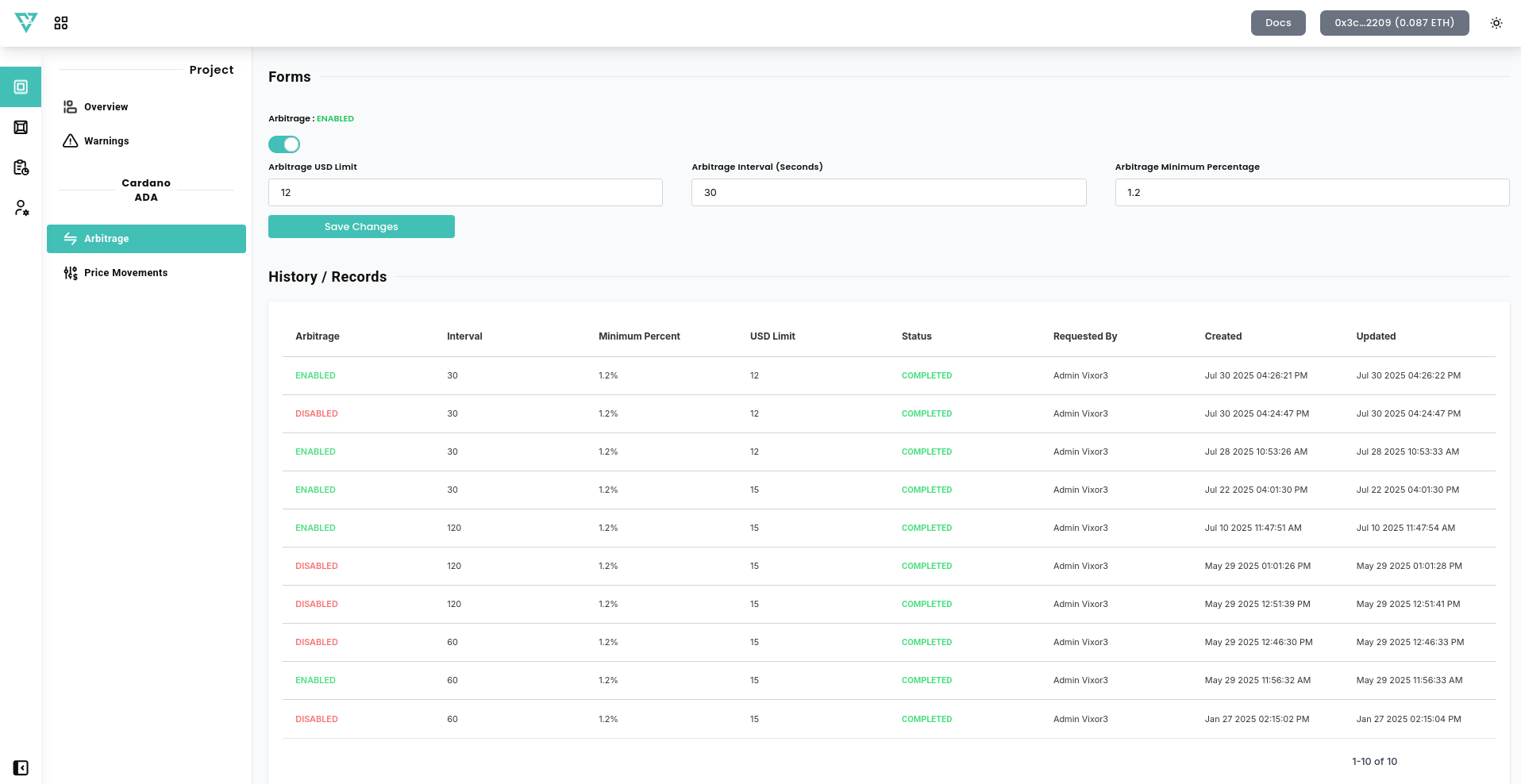
Use the toggle switch to turn arbitrage protection ON or OFF.
2. Configure the Settings
- Arbitrage USD Limit – Maximum dollar amount allowed for arbitrage order.
- Arbitrage Interval (Seconds) – Frequency at which the system executes arbitrage orders under arbitrage conditions.
- Arbitrage Minimum Percent (%) – The minimum price gap required to trigger a protective response.
Click Save Change to apply your new configuration.
🗂️ History / Records
All arbitrage-related actions are logged here. This helps you track when arbitrage triggers occurred and which configurations were in place at the time.
✅ Tip: Regularly monitor this module if your token is listed on multiple exchanges. Consistent arbitrage protection enhances trust and long-term price stability.
With this module, Vixor empowers you to automatically detect and deter unfair price discrepancies — keeping your token's trading environment more balanced and predictable.