User Group
Manage and assign user roles, including moderators for specific trading pairs.
👥 User Group
The User Group section provides an overview of user management within the platform, specifically focusing on role-based access for project collaborators.
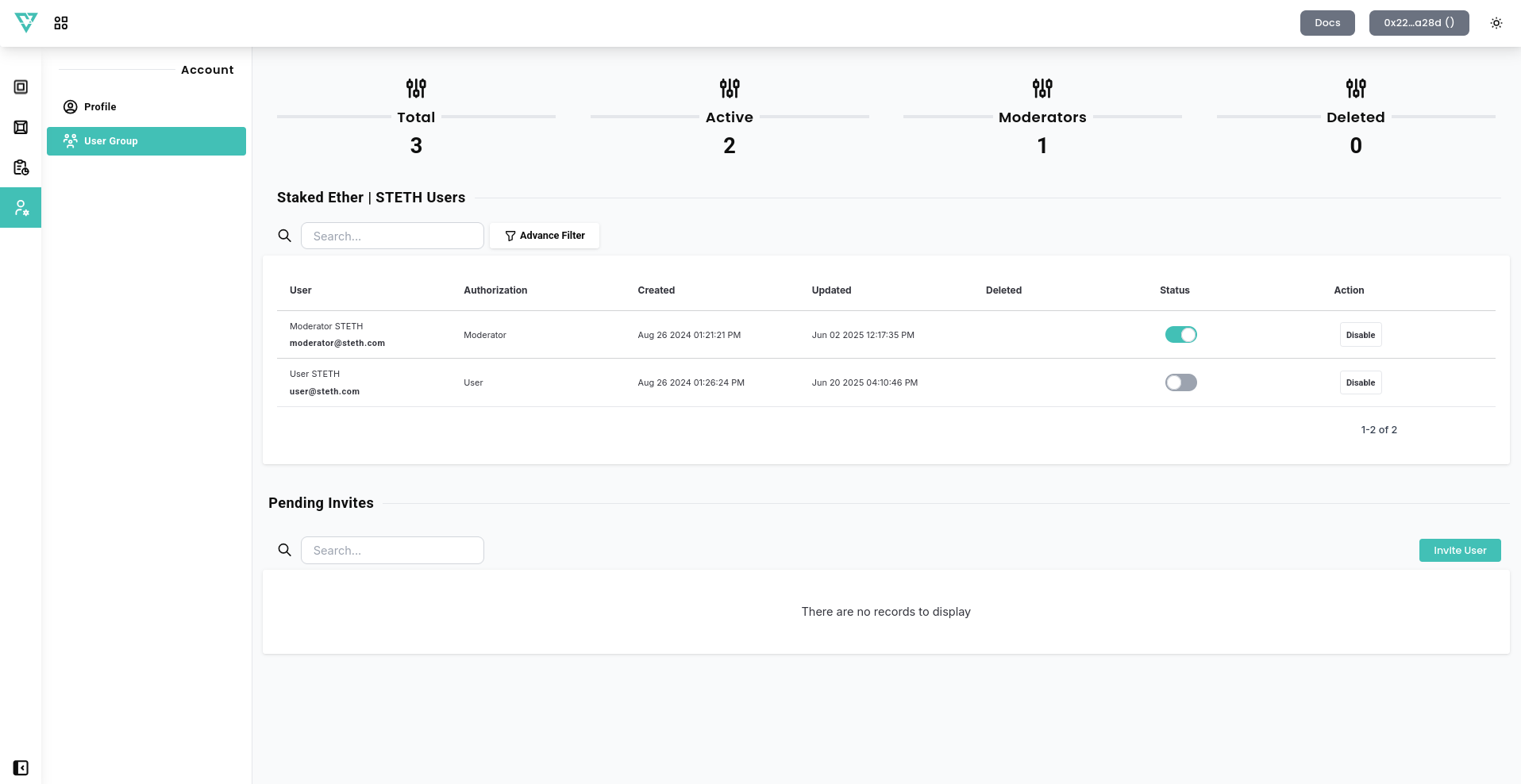
📊 Overview Cards
- Total Users – Displays the total number of users registered under the current project.
- Active Users – Indicates how many users are currently active.
- Moderators – Shows the number of users assigned with a Moderator role.
- Deleted Users – Lists users who have been removed from the project.
👤 Moderator Role
Project owners can assign moderators to project. Moderators have limited permissions and are typically responsible for:
- Monitoring and adjusting parameters of assigned project.
- Reviewing alerts and warnings for their managed project.
- Managing liquidity and spread configurations within their scope.
👤 User Role
Project owners can assign user to project. User have limited permissions and are typically responsible for:
- Monitoring the assigned project.
- Reviewing alerts and warnings for their managed project.
This delegation system allows for secure multi-user management where operational duties can be distributed without exposing full admin privileges.
🔍 Advanced Filter
The Advance Filter button lets you filter users by role, activity status, or other custom attributes, making it easy to manage large user bases.
🚧 Note: If no users are added yet, you will see “There are no records to display.”