Step-by-Step Guide
Profile
Learn how to manage your user profile in the Vixor Market Making Dashboard.
👤 Profile
The Profile section allows users to view and update their personal account information securely and easily.
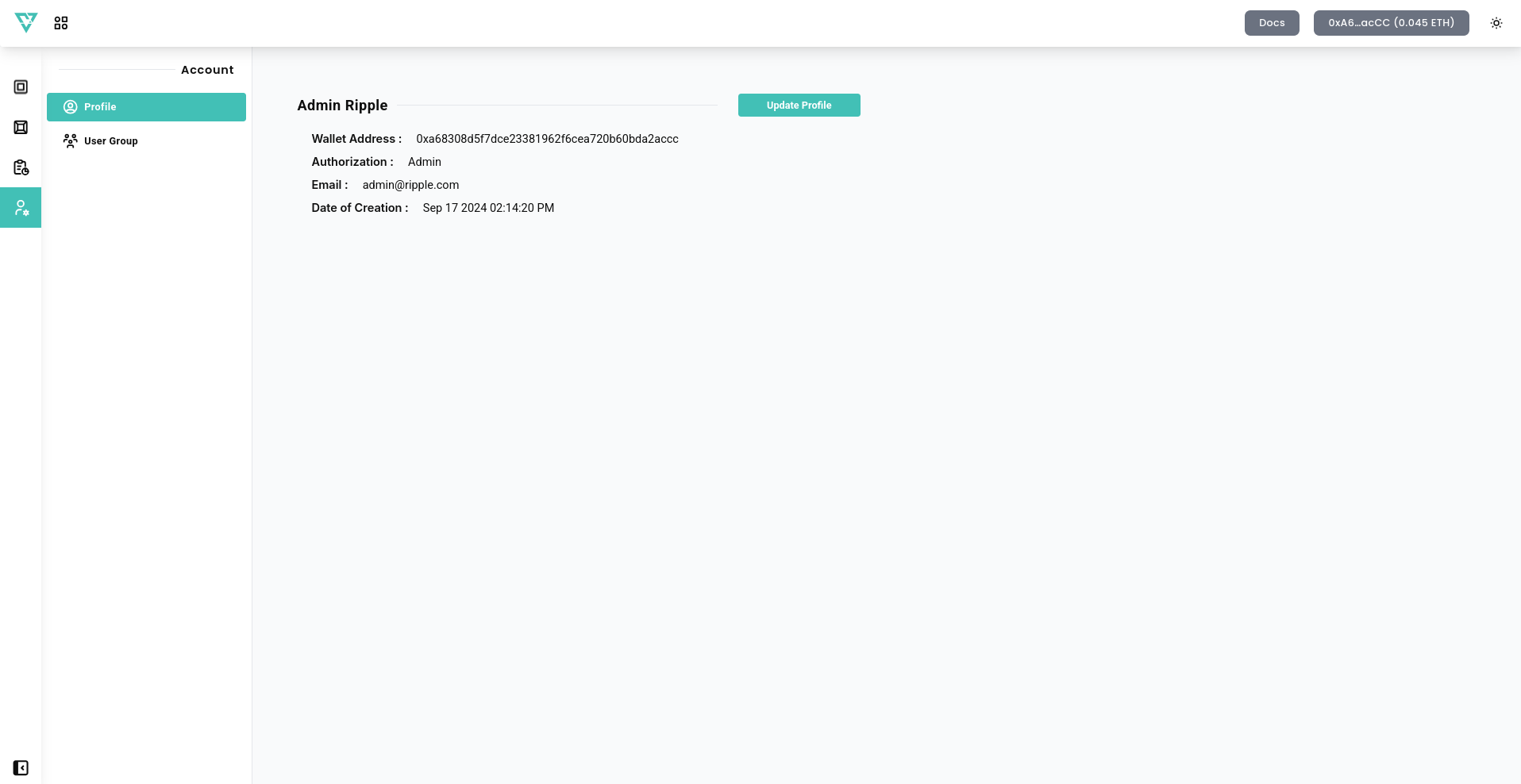
📋 Fields Overview
- Name – Displays your first name and last name.
- Wallet Address – Displays your connected wallet address.
- Authorization – Displays your user role (e.g., Admin, Moderator, Member).
- Email – Shows the email address associated with your account.
- Date of Creation – Displays when your account was created.
⚙️ Update Profile
To update your profile information, follow these steps:
- Click the
Update Profilebutton. - A new field will appear allowing you to change your profile info.
💾 Save Changes
After making any modifications to your profile, press the Save Changes button to apply updates.
⚠️ Changes will not be applied unless you click "Save Changes."
This section ensures that users can keep their account details up-to-date.