Step-by-Step Guide
Invite Users
Generate and manage invitation keys to onboard new team members as moderators.
✉️ Invite Users
The Invite Users module allows the project owner or admins to invite new users by generating secure invitation keys tied to a specific role — primarily used to onboard moderators or user.
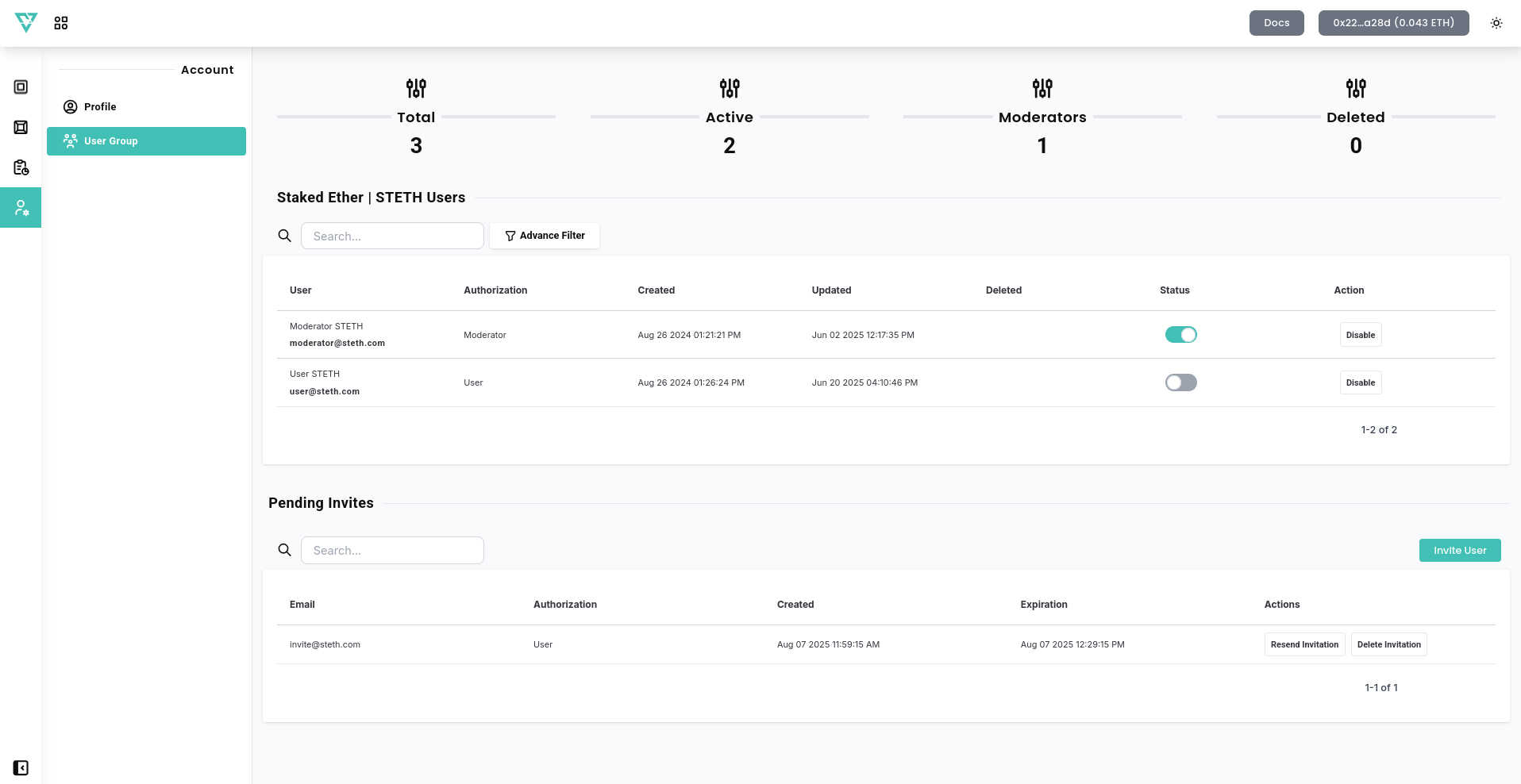
🗓️ Create New Key
To invite a new user:
- Select Invite User in User Group.
- Provide Email – Enter the email address of the user you want to invite.
- Choose a role (“Moderator” or “User”).
- Click Save Changes to generate an email with invitation to provided email adress.
🔐 Pending Invites
All pending invites are displayed in a table with the following information:
- Email – The email address of the invited user.
- Authorization – Indicates the user role assigned upon registration.
- Creation Date – When the invitation was generated.
- Expiration Date – The key becomes invalid after this date.
- Actions – You can delete or resend the invitation.
🛡️ Security Note: Keys should only be shared with trusted collaborators and should be revoked if not used within a reasonable timeframe.
This invitation-based system ensures that only approved team members can join, with pre-defined privileges based on their role.